High-fidelity prompts. In seconds.

Describe your idea, choose tags, send the message — get a clean, consistent prompt ready to paste into any AI tool.

No ad trackers We don't sell your data Prompts not used for training

Three steps. One polished prompt.

No prompt engineering required. Just describe, tag, and send.

1. Describe your idea

Type a short description of what you want — a scene, a character, a product shot. Natural language, no special syntax needed.

2. Choose tags

Select from curated style, camera, lighting, and format tags. Each tag fine-tunes the output without guesswork.

3. Send the message

Hit send and get a detailed, formatted prompt ready to go. Copy it with one click and paste into your favorite AI tool.

From idea to prompt in seconds

Here's what a real workflow looks like inside Creaite.

creaite.pro

Describe

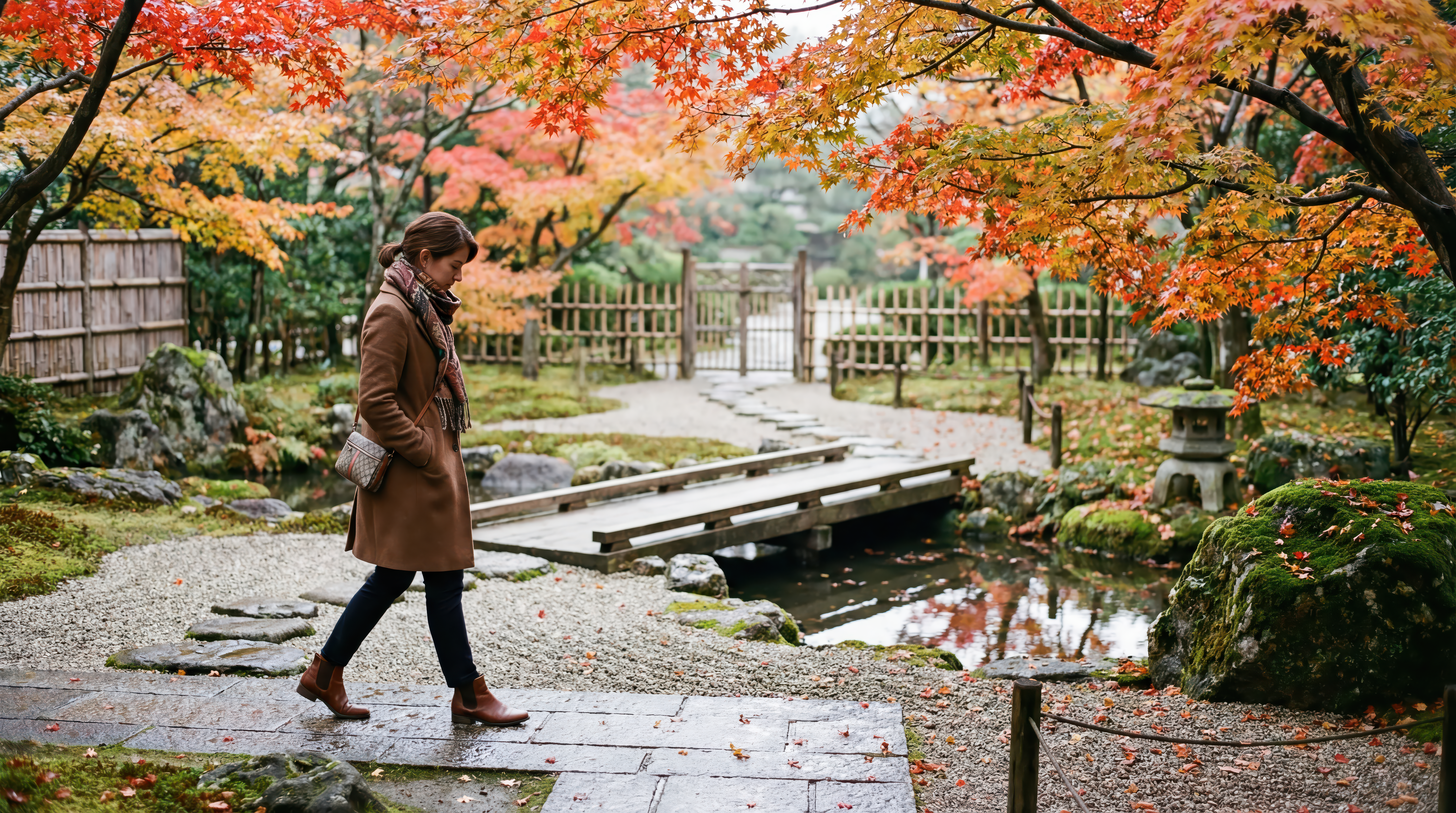
A woman walking through a Japanese garden in autumn

Tags

PhotorealisticSTYLEWide ShotSHOTProfile Side ViewSHOTSlight Low AngleSHOTLandscape (16:9)SIZE

Output

Aspect ratio 16:9 A real-photograph wide shot of a woman in full autumn attire walking through a traditional Japanese garden, captured in a true profile side view with a slight low-angle perspective. She is mid-stride on a gently curving stone path, silhouette clean against open garden space, head slightly bowed as if taking in the scenery. Wardrobe is practical and modest: mid-length wool coat, scarf, straight-leg trousers, leather ankle boots, a small crossbody bag; natural hair, minimal makeup. Subject placed on the left third, moving across the frame toward the right, leaving the right side to describe the garden's layered depth.…

Nano Banana Pro

🍂 Autumn Garden result
Try it now →

Built for serious creators

Every detail designed to save you time and elevate your output.

Consistent formatting

Every prompt follows a proven structure — no more inconsistent one-offs or guesswork.

Tag-powered control

Fine-tune style, camera, lighting, and format with curated tags that actually affect output.

Fast iteration

Generate, tweak tags, regenerate. Iterate in seconds instead of rewriting prompts from scratch.

Creator-ready outputs

Prompts optimized for Nano Banana Pro, Kling 3.0, Seedance 2.0, Midjourney, DALL-E, and more.

Simple credits, clear usage

Pick a plan that fits your workflow. Upgrade, downgrade, or buy credit packs anytime.

Starter

$8/mo

250 credits / month

  • 250 credits / month
  • Image mode
  • All tags
  • Standard support
Get Started

Master

$38/mo

1,750 credits / month

  • 1,750 credits / month
  • All modes unlocked
  • Mobile + Website
  • Bulk generation
Get Started

Creaitor

$85/mo

5,000 credits / month

  • 5,000 credits / month
  • Everything in Master
  • Team-ready volume
  • Premium support
Get Started

Credit packs also available — 125, 625, or 2,000 credits as a one-time purchase.

Frequently asked questions

Everything you need to know before getting started.

What is Creaite?
Creaite is a high-fidelity prompt studio. You describe an idea, select style and camera tags, and the engine generates a clean, detailed prompt ready to paste into any AI image or video tool — we recommend Nano Banana Pro for images and Kling 3.0 or Seedance 2.0 for video.
What are tags?
Tags are curated modifiers — art styles, camera shots, lenses, lighting setups, aspect ratios, and more. Selecting tags gives you fine-grained control over the output without writing complex prompt syntax yourself.
How do credits work?
Each prompt generation costs a small number of credits. Subscription plans include monthly credits, and you can also purchase one-time credit packs if you need more.
Do you store my prompts? What about privacy?
Your prompts are stored in your account so you can revisit and iterate on them. We never sell your data and your prompts are not used to train AI models. You can delete your history at any time.
What AI tools can I use this with?
Creaite generates text prompts, so they work with any text-to-image or text-to-video tool. We recommend Nano Banana Pro for images and Kling 3.0 or Seedance 2.0 for video — but they also work great with Midjourney, DALL-E 3, Stable Diffusion, Flux, Ideogram, and more.